Mesh shaders (Three.js) · lesson 1 of 5 · Intermediate · about 6 min
Real 3D: vertex & fragment shaders
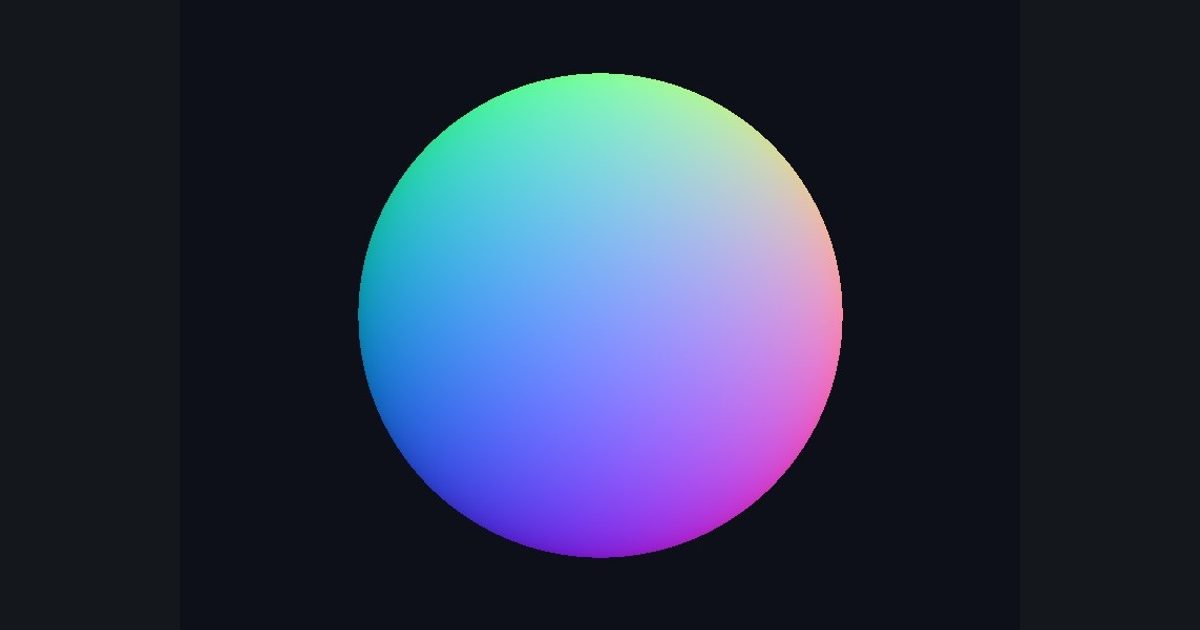
You will build: Color the sphere by its normals: red = facing +x, green = facing +y, blue = facing +z.
Until now your shader painted a flat rectangle. A real 3D object is a mesh: thousands of triangles made of vertices. Two programs of yours now run:
- Vertex shader: runs once per vertex. Its job is to decide where that vertex lands on screen. This is where you can move vertices: waves, wobble, growing, twisting.
- The GPU then fills each triangle with pixels, and for every pixel interpolates (blends) the values the three vertices produced.
- Fragment shader: runs once per pixel, exactly the function you have been writing, but now it also receives those interpolated values.
On this page, Three.js (a JavaScript 3D library; think of it as a friendlier cousin of what you did in LWJGL) supplies the mesh, the camera and the mouse-orbit controls, and runs your HLSL on it. Drag the output to orbit; pinch or scroll to zoom.
What your fragment shader can read
| Name | Meaning |
|---|---|
uv | the mesh's texture coordinates (0..1), interpolated |
i_normal | surface direction in world space, smooth (unit length) |
i_faceNormal | the flat normal of the triangle (faceted look; correct even after you move vertices) |
i_worldPos | position of this pixel in the world |
i_viewDir | unit vector from this pixel towards the camera |
time | seconds |
(Those i_ names are this site's; in Unity they come from your v2f struct. The “Copy for Unity” button writes that code for you.)
A normal's components are in −1..1, but colors want 0..1. The classic fix is 0.5 + 0.5 * normal. This “normal color” view is how graphics programmers check geometry.
The numbers you need
Everything the picture depends on is given, so the challenge is the code, not guessing.
- Formula
float4(0.5 + 0.5 * i_normal, 1.0)
Try it in your own language
The lesson is written once and shown in every language. Pick yours: Unity (Built-in), Unity (URP), Unreal, Shadertoy / WebGL, OpenGL (LWJGL, raylib), three.js, GameMaker, LÖVE (Lua), Godot, Apple (iOS, macOS), WebGPU / Bevy.
Start codingGo deeper
Part of the learning path: From Shadertoy to Unity.