Mesh shaders (Three.js) · lesson 5 of 5 · Intermediate · about 4 min
Push vertices along their normals
You will build: Make rings of bulges travel up the sphere.
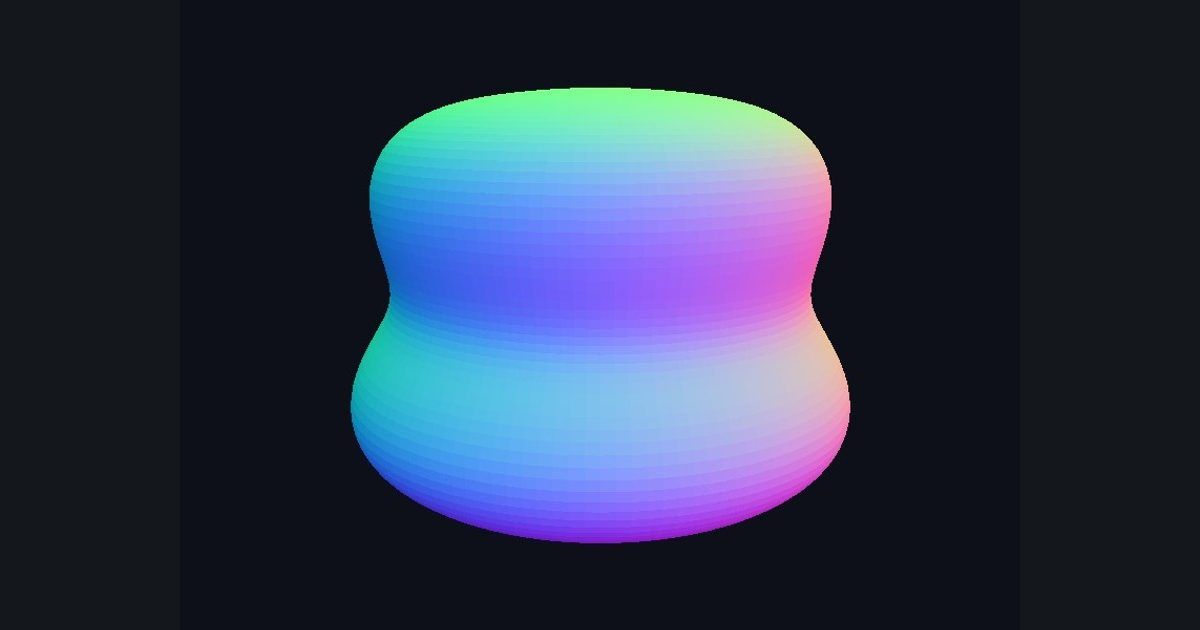
The normal is the natural direction to push a vertex: outward from the surface. pos + normal * amount inflates a shape; a time-varying amount makes it breathe; an amount that depends on position makes ripples run over the surface.
This trick is behind jelly effects, pulsing energy shields, hit-flash expansions and cartoon “outline” shells.
The numbers you need
Everything the picture depends on is given, so the challenge is the code, not guessing.
- Offset
normal * 0.12 * sin(time * 3.0 + pos.y * 6.0)- Color
normal color of i_faceNormal: 0.5 + 0.5 * i_faceNormal
Try it in your own language
The lesson is written once and shown in every language. Pick yours: Unity (Built-in), Unity (URP), Unreal, Shadertoy / WebGL, OpenGL (LWJGL, raylib), three.js, GameMaker, LÖVE (Lua), Godot, Apple (iOS, macOS), WebGPU / Bevy.
Start codingGo deeper
Part of the learning path: From Shadertoy to Unity.