Mesh shaders (Three.js) · lesson 3 of 5 · Intermediate · about 4 min
Fresnel rim glow
You will build: A dark blue knot with a cyan glow around the edges.
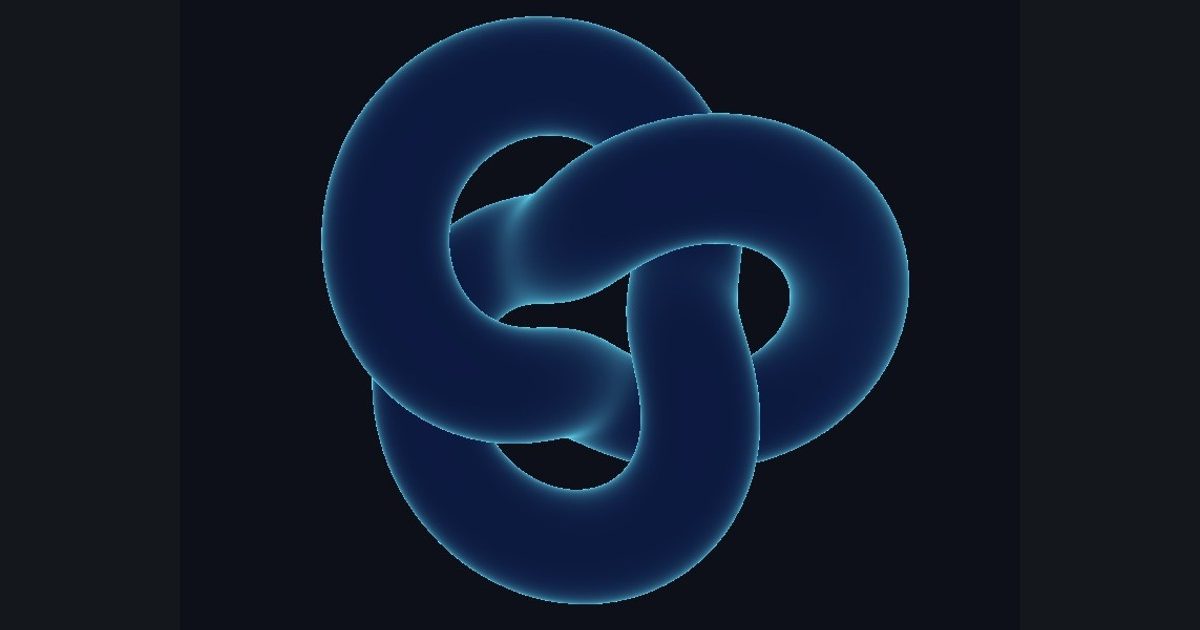
Surfaces seen at a grazing angle (edges of the silhouette) look brighter and more reflective: the Fresnel effect. It is one of the cheapest ways to make something feel glossy, glassy or magical.
When the normal faces the camera, dot(i_normal, i_viewDir) is 1; at the silhouette it is 0. So 1 - dot(...) is bigger at the edges, and pow(..., 3.0) sharpens it.
The numbers you need
Everything the picture depends on is given, so the challenge is the code, not guessing.
- Fresnel
pow(1.0 - saturate(dot(i_normal, i_viewDir)), 3.0)- Colors
lerp(float3(0.05, 0.1, 0.25), float3(0.4, 0.9, 1.0), fresnel)
Try it in your own language
The lesson is written once and shown in every language. Pick yours: Unity (Built-in), Unity (URP), Unreal, Shadertoy / WebGL, OpenGL (LWJGL, raylib), three.js, GameMaker, LÖVE (Lua), Godot, Apple (iOS, macOS), WebGPU / Bevy.
Start codingGo deeper
Concept explainers with a live example: Fresnel effect.
Part of the learning path: From Shadertoy to Unity.