Mesh shaders (Three.js) · lesson 4 of 5 · Intermediate · about 5 min
Your first vertex shader: waves
You will build: Make the plane ripple with a 2D wave and light it using i_faceNormal.
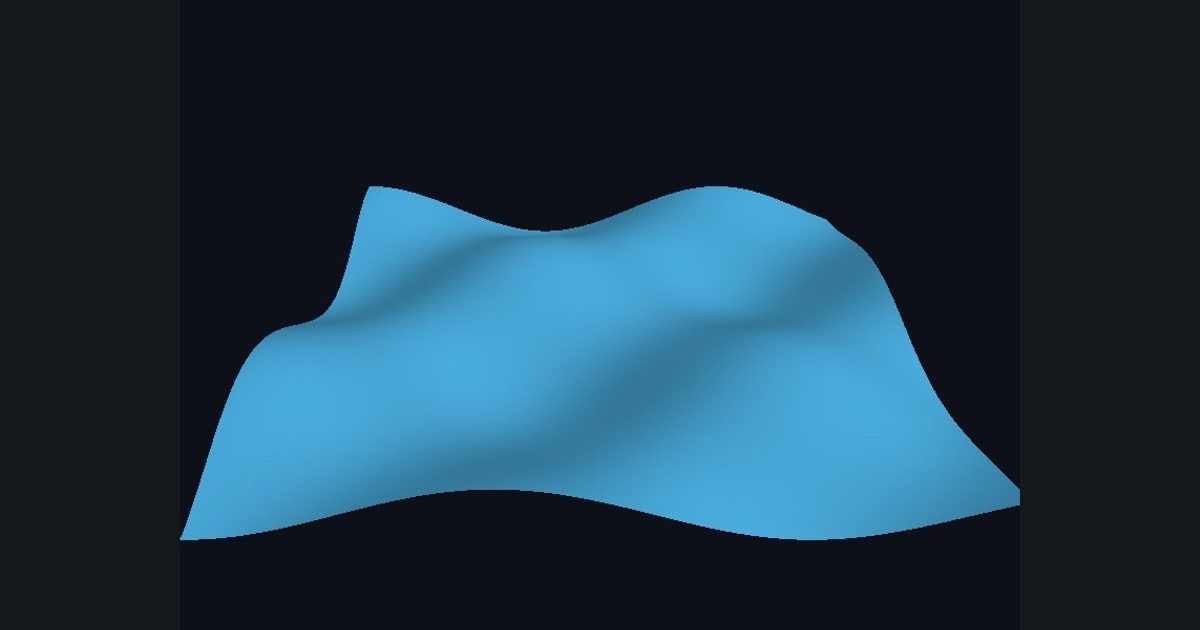
The vertex shader is where geometry comes alive. Add a function vert and the GPU calls it for every vertex, before any pixel is drawn:
float3 vert(float3 pos, float3 normal, float2 uv)
{
    pos.y += 0.2 * sin(pos.x * 3.0 + time);   // lift each vertex
    return pos;                               // the new position
}
pos is the vertex position in object space. Return a different one and the vertex moves. Because the plane has 180 × 180 quads, the motion looks smooth.
Lighting a displaced mesh: the mesh's stored normals still describe the flat plane, so i_normal would give wrong lighting. The fragment shader can rebuild the true surface direction from how the world position changes between neighbouring pixels: that is i_faceNormal. Use it here.
The numbers you need
Everything the picture depends on is given, so the challenge is the code, not guessing.
- Wave
pos.y += 0.15 * sin(pos.x * 3.0 + time * 2.0) * cos(pos.z * 3.0 + time)- Light
normalize(float3(0.4, 0.8, 0.4))- Color
float3(0.3, 0.7, 0.9) * (0.2 + 0.8 * diffuse)
Try it in your own language
The lesson is written once and shown in every language. Pick yours: Unity (Built-in), Unity (URP), Unreal, Shadertoy / WebGL, OpenGL (LWJGL, raylib), three.js, GameMaker, LÖVE (Lua), Godot, Apple (iOS, macOS), WebGPU / Bevy.
Start codingGo deeper
Part of the learning path: From Shadertoy to Unity.