3D with raymarching · lesson 1 of 7 · Intermediate · about 5 min
Fake 3D: normals & light
You will build: Shade the disc as a sphere: compute z and the normal, then diffuse light from the given direction.
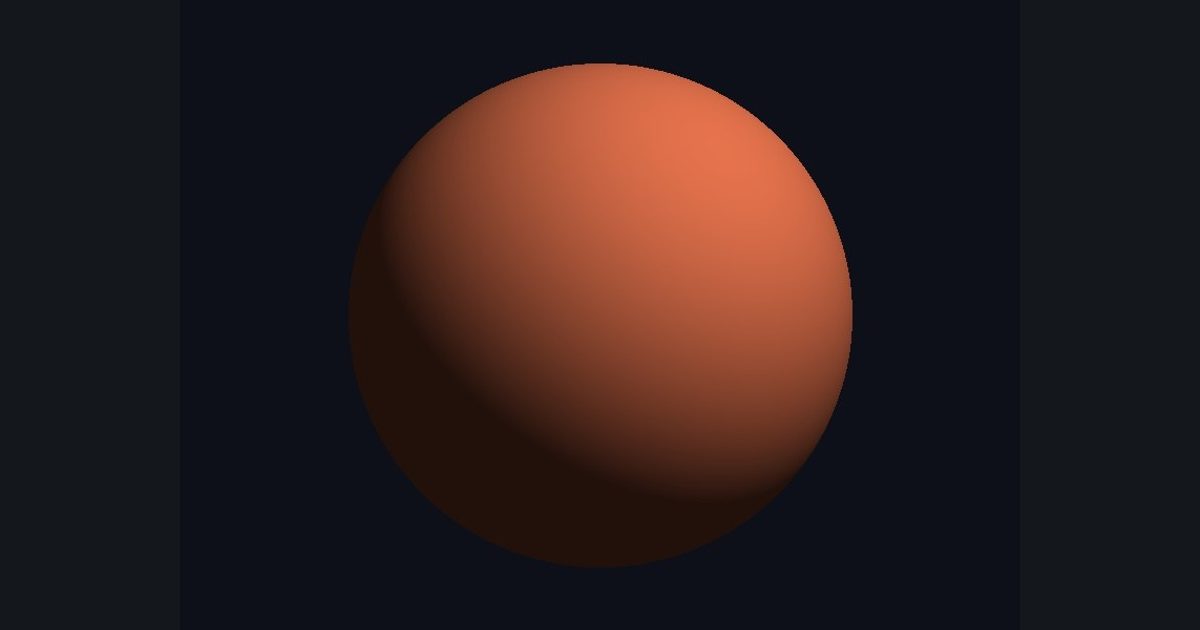
Before real 3D, let's fake it — and learn the thing that makes all 3D look 3D: lighting.
A normal is a unit vector pointing straight out of a surface. How bright a surface is depends on how much its normal faces the light: diffuse = max(dot(normal, lightDir), 0.0). (Dot product of two unit vectors = cosine of the angle between them: 1 facing the light, 0 sideways, negative facing away.)
For a sphere of radius R centered at the origin, a point at (x, y) on screen sits at height z = sqrt(R² − x² − y²). The normal at that point is simply normalize(float3(x, y, z)). Pixels outside the sphere get a mask of 0.
The numbers you need
Everything the picture depends on is given, so the challenge is the code, not guessing.
- Radius
0.8- Light direction
normalize(float3(0.5, 0.7, 0.6))- Brightness
base * (0.15 + 0.85 * diffuse)- Base color
float3(0.9, 0.45, 0.3)
Try it in your own language
The lesson is written once and shown in every language. Pick yours: Unity (Built-in), Unity (URP), Unreal, Shadertoy / WebGL, OpenGL (LWJGL, raylib), three.js, GameMaker, LÖVE (Lua), Godot, Apple (iOS, macOS), WebGPU / Bevy.
Start codingGo deeper
Concept explainers with a live example: Fresnel effect.