3D with raymarching · lesson 5 of 7 · Intermediate · about 5 min
3D, step 4: smart steps (sphere tracing)
You will build: Use smart steps and show the step count as grey: saturate(steps / 12.0).
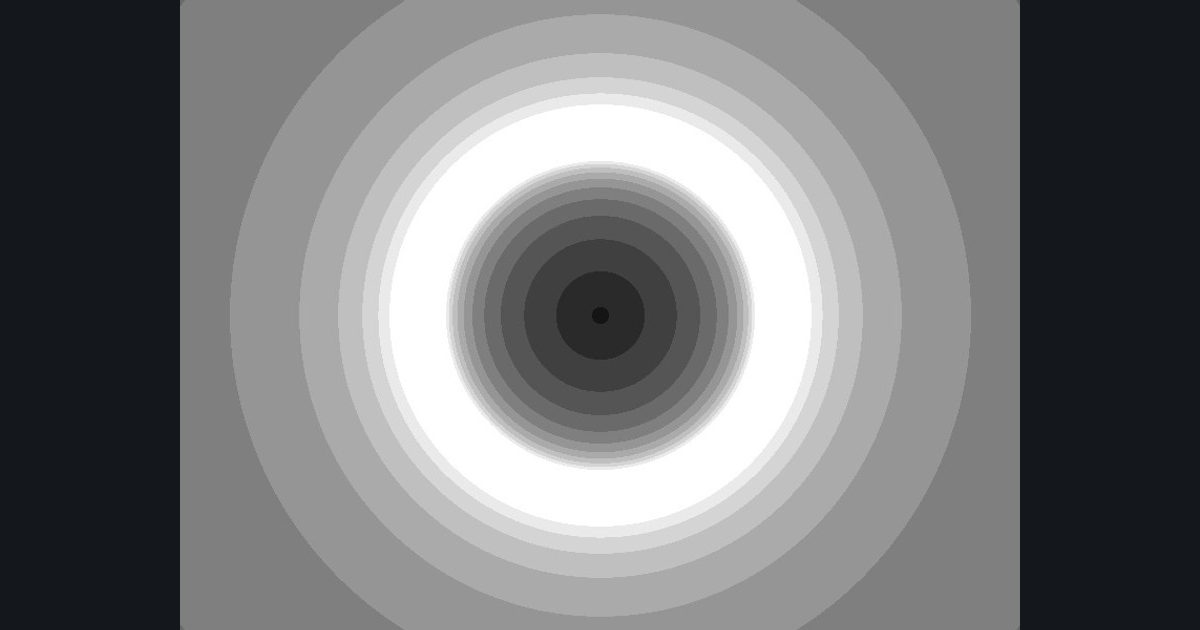
Fixed small steps are slow, and big steps can jump over thin things. Here is the clever trick behind ray marching:
If you know how far you are from the nearest surface, you can safely step exactly that far in any direction. You can never overshoot, because the surface is at least that far away.
For a sphere of radius 1 at the origin, the distance from any point is simply length(pos) - 1.0. A function that answers “how far is the nearest surface?” is called a distance function (SDF). So:
float t = 0.0;
float steps = 0.0;
for (int i = 0; i < 24; i++)
{
    float d = length(ro + rd * t) - 1.0;       // how far to the sphere from here?
    if (d < 0.001 || t > 12.0) break;          // close enough (hit) or too far (miss)
    t += d;                                    // safe to step exactly d
    steps += 1.0;
}
Pick “smart steps” and press Step: the faint circle is the safe distance. Each step jumps right up to it. Rays that hit the sphere need only a handful of steps instead of dozens. Rays that go far from the sphere take big strides and give up early.
To see the saving, show the number of steps as a grey level (more steps = brighter). It is also a classic debugging picture for ray marchers: edges of shapes are bright because rays graze them and take many small steps.
The numbers you need
Everything the picture depends on is given, so the challenge is the code, not guessing.
- Loop
24 iterations max, d = length(ro + rd * t) - 1.0- Stop
if (d < 0.001 || t > 12.0) break;- Advance
t += d; steps += 1.0;- Grey
g = saturate(steps / 12.0)
Try it in your own language
The lesson is written once and shown in every language. Pick yours: Unity (Built-in), Unity (URP), Unreal, Shadertoy / WebGL, OpenGL (LWJGL, raylib), three.js, GameMaker, LÖVE (Lua), Godot, Apple (iOS, macOS), WebGPU / Bevy.
Start coding