3D with raymarching · lesson 4 of 7 · Intermediate · about 5 min
3D, step 3: walk along the ray
You will build: Walk each ray in steps of 0.1 (up to 60 steps). Hit pixels show their depth as grey, misses stay dark.
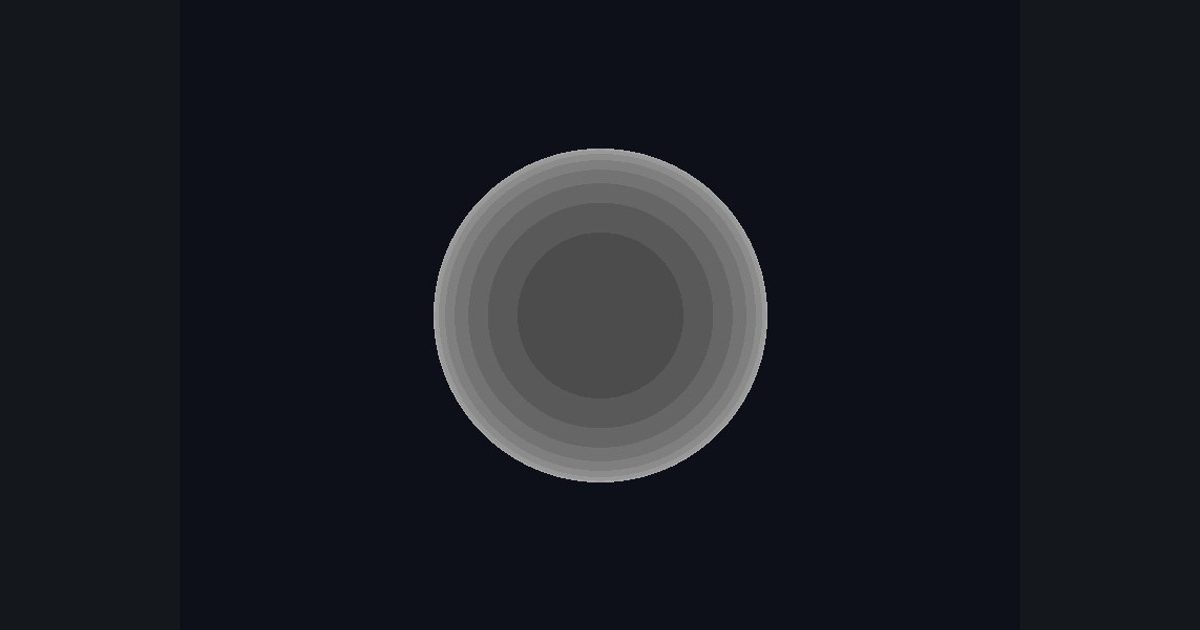
One point gives only a silhouette. To find the actual surface, walk along the ray in small steps and stop at the first point that is inside the sphere. How far we walked, t, is the depth of that pixel.
float t = 0.0;                     // how far we have walked
float hit = 0.0;                   // did we find the sphere?
for (int i = 0; i < 60; i++)
{
    float3 pos = ro + rd * t;
    if (length(pos) < 1.0) { hit = 1.0; break; }    // inside! stop walking
    t += 0.1;                                       // otherwise take a small step
}
break leaves the loop early. Pixels that hit the sphere end with a small t in the middle of the sphere and a bigger one near its edges; pixels that never hit keep hit = 0.
Choose “fixed steps” in the diagram and press Run to the end: it takes about 20 steps for one ray, and you do that for every pixel. That is slow. You will also see rings in the finished picture: depth can only be found in jumps of 0.1. The next lesson fixes both problems.
Show depth as a grey level: close = dark, far = bright. Use (t - 1.5) / 2.0 so the sphere's depth range fills the grey scale nicely.
The numbers you need
Everything the picture depends on is given, so the challenge is the code, not guessing.
- Setup
p, ro, rd as before- Loop
60 steps: pos = ro + rd * t; if (length(pos) < 1.0) { hit = 1.0; break; } t += 0.1- Grey
g = (t - 1.5) / 2.0- Colour
lerp(float3(0.05, 0.06, 0.1), float3(g, g, g), hit)
Try it in your own language
The lesson is written once and shown in every language. Pick yours: Unity (Built-in), Unity (URP), Unreal, Shadertoy / WebGL, OpenGL (LWJGL, raylib), three.js, GameMaker, LÖVE (Lua), Godot, Apple (iOS, macOS), WebGPU / Bevy.
Start coding