Noise · lesson 2 of 6 · Intermediate · about 5 min
Smooth randomness, step 1: blend two values
You will build: Plot the curve n as a thin cyan line on the dark background (8 cells across, hash from the Toolbox).
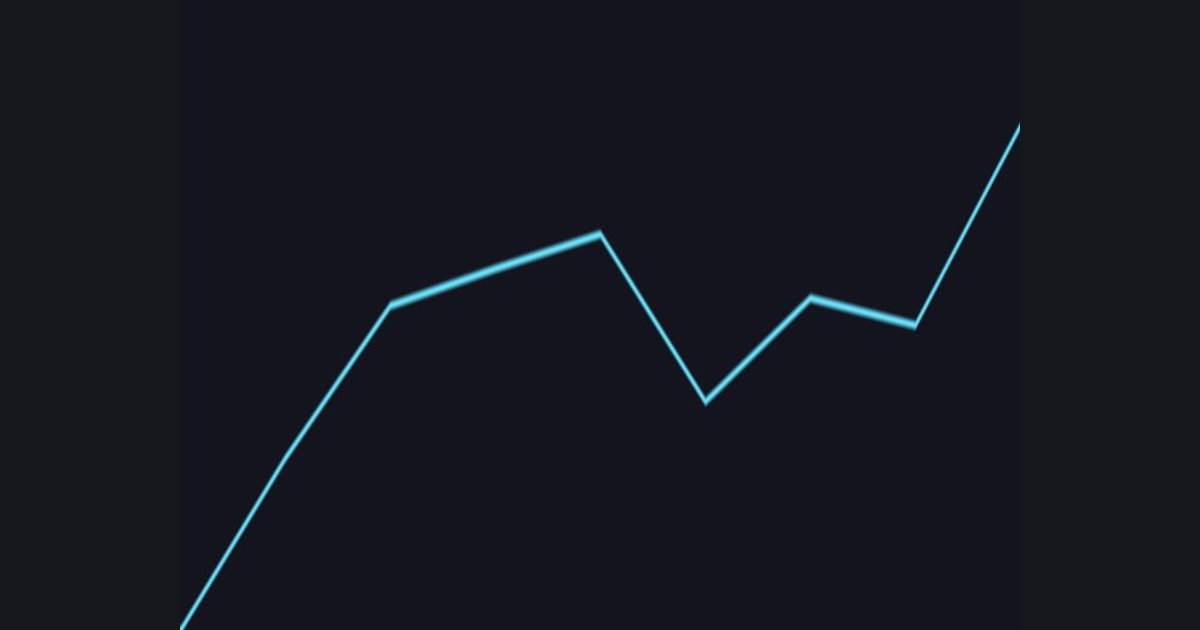
The hash gives one random number per whole number: hash(0), hash(1), hash(2)... all unrelated. That is why the last lesson looked like blocky static.
To get smooth randomness we fill in the gaps by blending neighbours. For any position x:
i = floor(x): the whole number to the left of us.f = frac(x): how far we are towards the next one (0 to 1).a = hash(i)andb = hash(i + 1): the random values on the left and the right.lerp(a, b, f): slide from a to b as f goes 0 to 1.
We will use only one direction first, and draw the result as a graph: a pixel is bright when it is close to the curve, i.e. when abs(uv.y - n) is small. This graphing trick is a great way to look at any value.
float x = uv.x * 8.0;                  // 8 cells across
float i = floor(x);
float f = frac(x);
float a = hash(float2(i, 0.0));
float b = hash(float2(i + 1.0, 0.0));
float n = lerp(a, b, f);               // the smooth value
The numbers you need
Everything the picture depends on is given, so the challenge is the code, not guessing.
- Cells
x = uv.x * 8.0- Random corner values
hash(float2(i, 0.0)) and hash(float2(i + 1.0, 0.0))- Curve
n = lerp(a, b, f)- Plot
1.0 - smoothstep(0.0, 0.012, abs(uv.y - n))- Colors
line float3(0.4, 0.9, 1.0), background float3(0.08, 0.08, 0.12)
Try it in your own language
The lesson is written once and shown in every language. Pick yours: Unity (Built-in), Unity (URP), Unreal, Shadertoy / WebGL, OpenGL (LWJGL, raylib), three.js, GameMaker, LÖVE (Lua), Godot, Apple (iOS, macOS), WebGPU / Bevy.
Start coding