Advanced shaders · lesson 4 of 19 · Advanced · about 5 min
Ocean 4: foam, fine ripples and haze
You will build: Add two small high-frequency waves, whitecap foam with lacy edges, and distance haze to the finished sea.
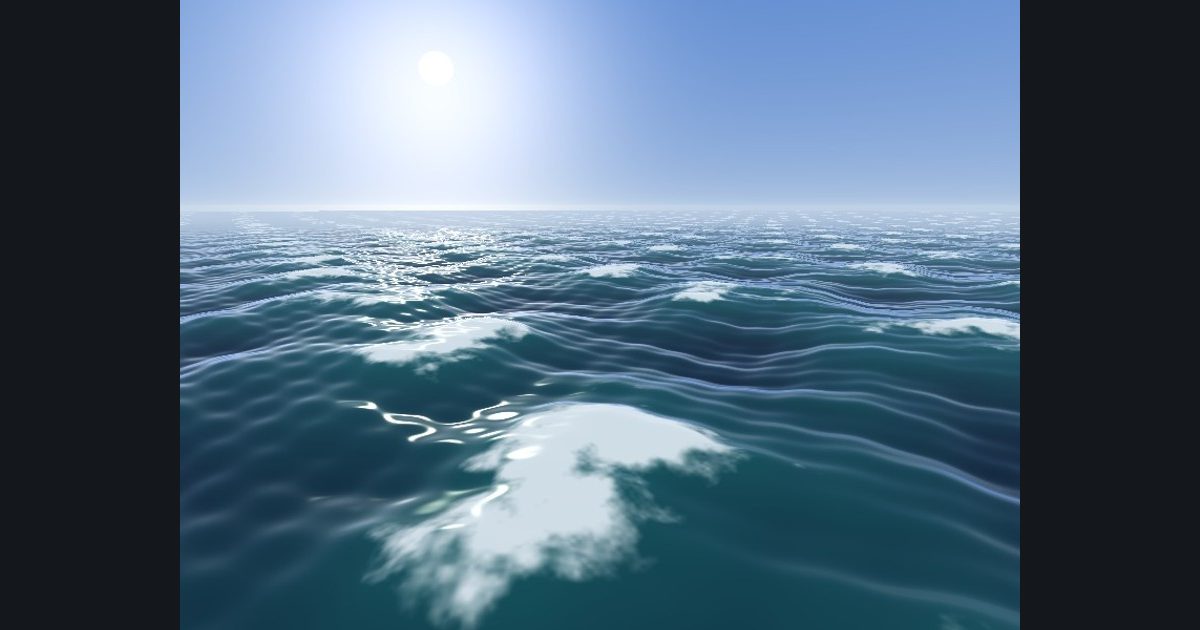
Three more touches turn a nice sea into a convincing one.
1. Fine ripples. Two more waves with very small amplitude but high frequency add the little ripples that catch the light. (They are invisible as a shape, but huge for the normals.)
2. Foam. Whitecaps form on the tops of waves. Foam where the height is large, but not as a clean blob: add a noise value to the height before the threshold so the edge becomes lacy: smoothstep(0.15, 0.25, h + (lace - 0.5) * 0.22). The noise scrolls a little with time so the foam seems to drift.
3. Haze. Distant water loses contrast in the air: blend towards the horizon color with distance, 1.0 - exp(-t * 0.012). This one line is what makes the picture feel big. (The same trick, called fog, works in every 3D scene.)
float lace = fbm2(pos.xz * 3.5 + float2(time * 0.3, 0.0));
float foam = smoothstep(0.15, 0.25, h + (lace - 0.5) * 0.22);
col = lerp(col, float3(0.95, 0.97, 1.0), foam * 0.85);
col = lerp(col, float3(0.75, 0.82, 0.9), 1.0 - exp(-t * 0.012));
The numbers you need
Everything the picture depends on is given, so the challenge is the code, not guessing.
- Extra waves
0.02, (-0.85, 0.52), 9.7, 4.0 | 0.012, (0.30, 0.95), 15.0, 5.2 (add them inside waveH before the return)- Lace
fbm2(pos.xz * 3.5 + float2(time * 0.3, 0.0))- Foam
smoothstep(0.15, 0.25, h + (lace - 0.5) * 0.22), color float3(0.95, 0.97, 1.0) at 85%- Haze
lerp(col, float3(0.75, 0.82, 0.9), 1.0 - exp(-t * 0.012)) at the very end- Everything else
as in Ocean 3
Try it in your own language
The lesson is written once and shown in every language. Pick yours: Unity (Built-in), Unity (URP), Unreal, Shadertoy / WebGL, OpenGL (LWJGL, raylib), three.js, GameMaker, LÖVE (Lua), Godot, Apple (iOS, macOS), WebGPU / Bevy.
Start coding