2D toolkit · lesson 5 of 8 · Intermediate · about 5 min
Turning by any angle (sin and cos)
You will build: Take the same bar-with-a-square shape and turn it by 0.5 radians (about 29 degrees) using c and s, no matrices.
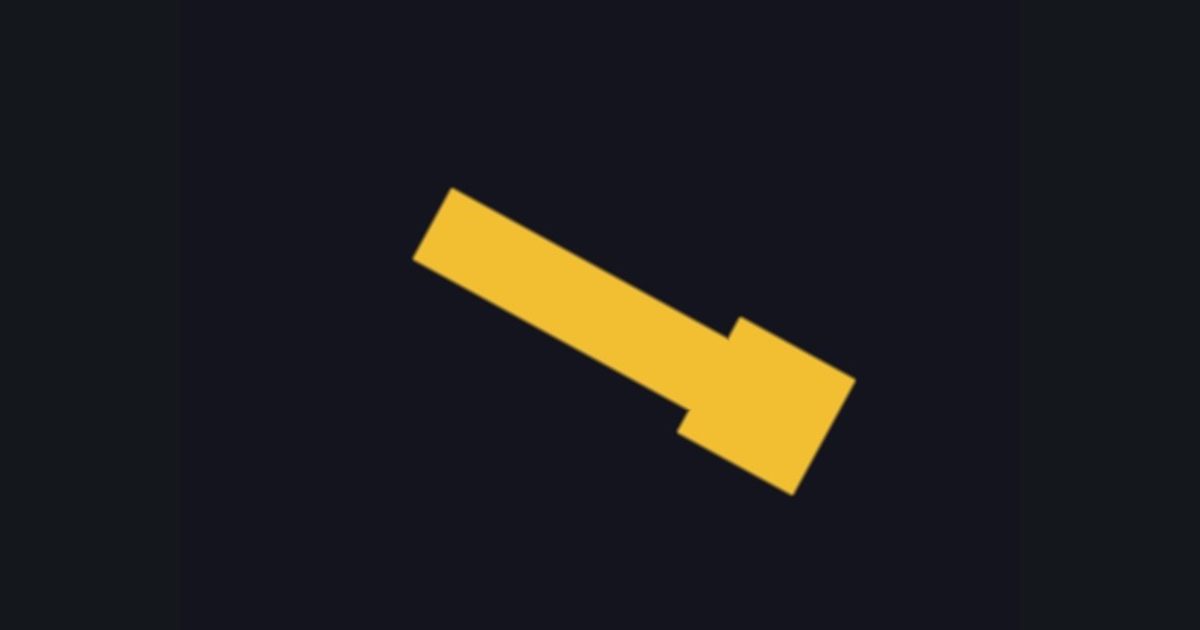
A quarter turn swaps coordinates. For any angle a we need numbers between: that is what cos and sin are for. Here is where the formula comes from, in two sentences:
- Turning by
asends the point(1, 0)to(cos a, sin a), and the point(0, 1)to(-sin a, cos a). - Any point
(x, y)isxsteps of the first plusysteps of the second:(x*cos a − y*sin a, x*sin a + y*cos a).
Sanity checks: a = 0 gives cos = 1, sin = 0, so nothing changes. A quarter turn (a = 1.5708) gives cos = 0, sin = 1, so (x, y) becomes (-y, x), exactly the swap you just used.
float a = 0.5;                  // angle in radians (a full turn is 6.28318)
float c = cos(a);
float s = sin(a);
p = float2(c * p.x - s * p.y,  s * p.x + c * p.y);
Do not worry about memorising it. Everyone copies this snippet. What matters is understanding that it is applied to the pixel's position, before the shape is measured.
The numbers you need
Everything the picture depends on is given, so the challenge is the code, not guessing.
- Angle
a = 0.5 (radians)- Turn
p = float2(c * p.x - s * p.y, s * p.x + c * p.y)- Shape
same as the last lesson: min(sdBox(p, float2(0.3, 0.06)), sdBox(p - float2(0.3, 0.0), float2(0.1, 0.1)))- Colors
fill float3(0.95, 0.75, 0.2), background float3(0.08, 0.08, 0.12)
Try it in your own language
The lesson is written once and shown in every language. Pick yours: Unity (Built-in), Unity (URP), Unreal, Shadertoy / WebGL, OpenGL (LWJGL, raylib), three.js, GameMaker, LÖVE (Lua), Godot, Apple (iOS, macOS), WebGPU / Bevy.
Start coding