2D toolkit · lesson 8 of 8 · Intermediate · about 4 min
Polar coordinates
You will build: Build the spinning pinwheel: wedge pattern sin(a × 6 + time × 2), clipped to a disc of radius 0.4 with a soft edge.
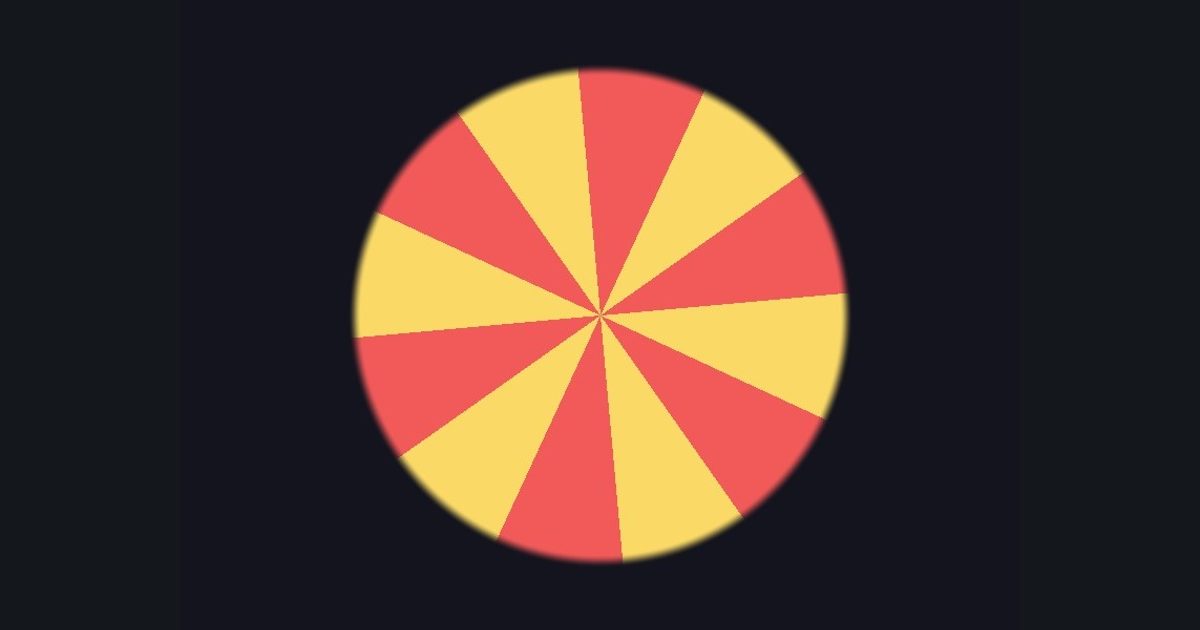
Instead of (x, y) you can describe a point as (angle, radius). Radius is just length(p); the angle comes from atan2(p.y, p.x) (range −π..π).
Anything that depends on angle repeats around the center: pinwheels, flowers, radar sweeps, spiral galaxies. And anything that depends on radius makes rings (you already did that). Mix them for spirals.
float2 p = (uv - 0.5) * float2(aspect, 1.0);
float a = atan2(p.y, p.x);
float spokes = step(0.0, sin(a * 6.0));   // 12 wedges alternating on/off
Add + time * 2.0 inside the sin and the whole thing rotates.
The numbers you need
Everything the picture depends on is given, so the challenge is the code, not guessing.
- Colors
float3(0.95,0.35,0.35) / float3(0.98,0.85,0.4)- Background
float3(0.08, 0.08, 0.12)- Disc edge
smoothstep(0.38, 0.4, r)
Try it in your own language
The lesson is written once and shown in every language. Pick yours: Unity (Built-in), Unity (URP), Unreal, Shadertoy / WebGL, OpenGL (LWJGL, raylib), three.js, GameMaker, LÖVE (Lua), Godot, Apple (iOS, macOS), WebGPU / Bevy.
Start codingGo deeper
Concept explainers with a live example: polar coordinates.
Part of the learning path: Shader art basics.